NoMachine

Install NoMachine on RoboRacer

wget https://www.nomachine.com/free/arm/v8/deb -O nomachine.deb

Install using dpkg

sudo dpkg -i nomachine.deb

Documentation

See the official NoMachine documentation: https://kb.nomachine.com/AR02R01074

Install NoMachine on Host Machine (Ubuntu)

Download NoMachine for Ubuntu: https://downloads.nomachine.com/download/?id=1

Install using dpkg

cd ~/Downloads
sudo dpkg -i nomachine_8.16.1_1_amd64.deb
Connect to RoboRacer

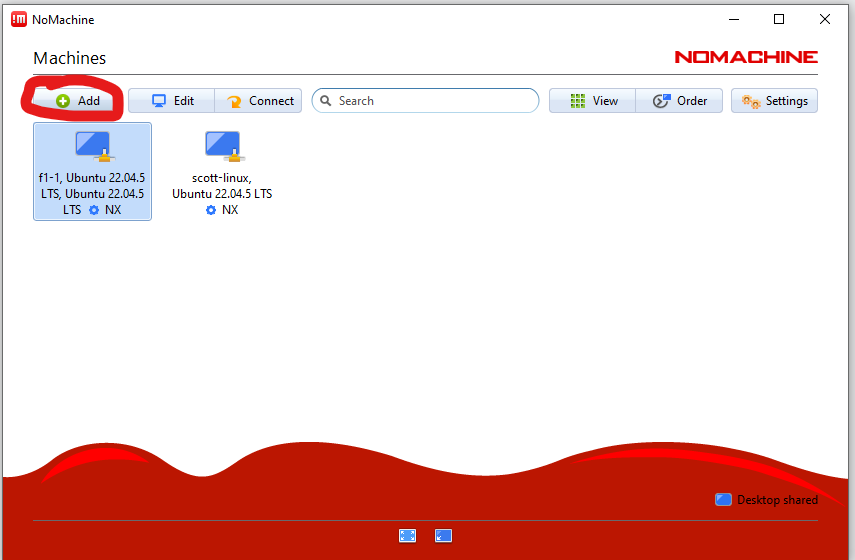
On the host machine, open NoMachine.

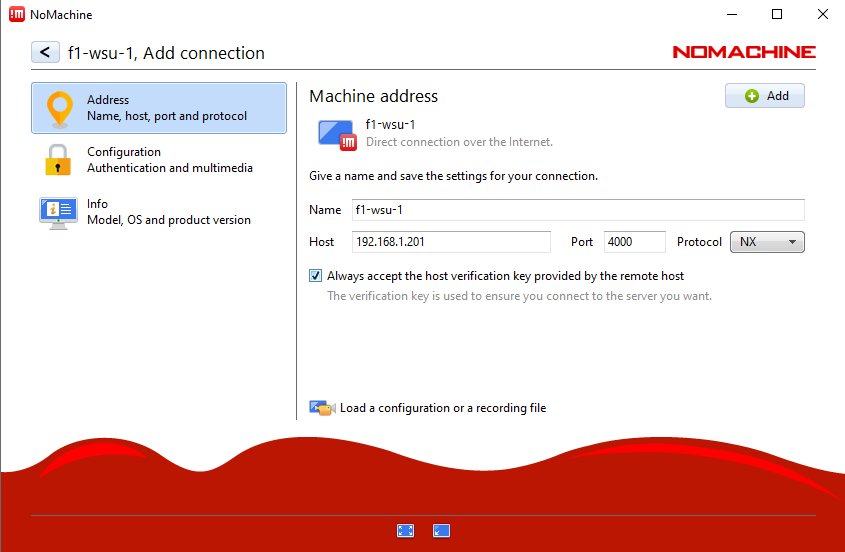
Add a new connection

Click on the Add button.

Add computer in NoMachine

Configure the connection

  • Add the name of the bot

  • Add the IP address of the bot

  • Check Always accept the host’s verification

  • Click Add

Add RoboRacer connection details

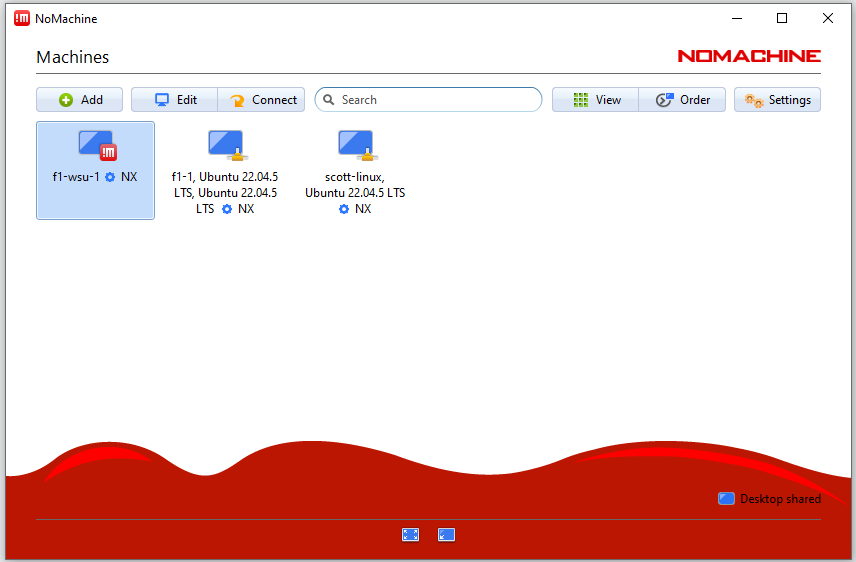
Select the RoboRacer

Find the bot in the list of computers and select it.

Select RoboRacer from list

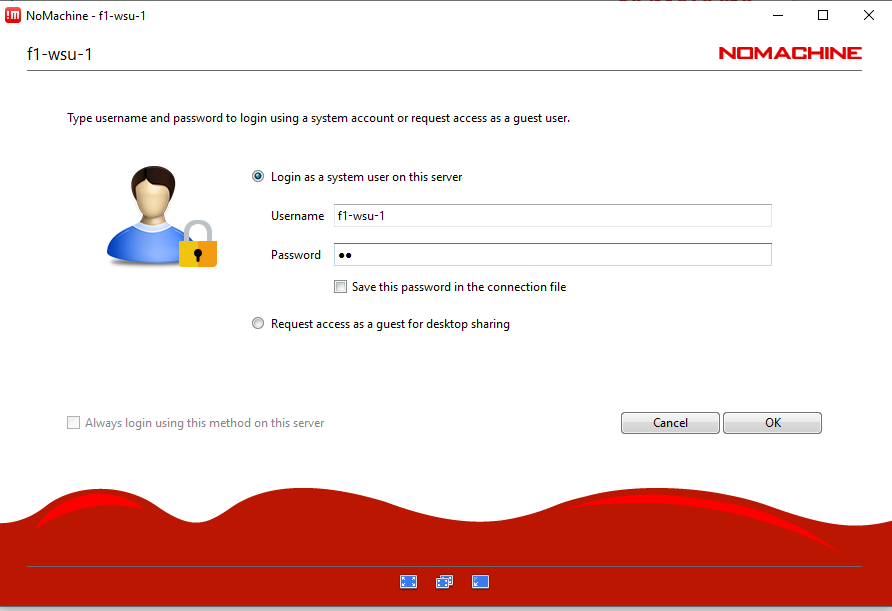
Enter credentials

Enter the credentials for the RoboRacer.

RoboRacer login credentials

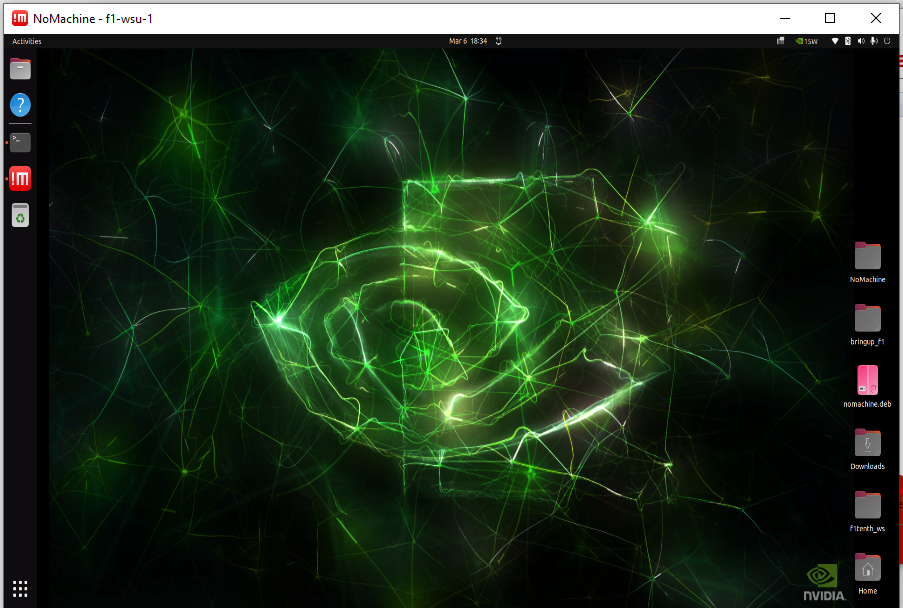
Connected

You should now be connected to the RoboRacer desktop.

Connected RoboRacer desktop